


Trivia Game - IQ Quiz Test
4.644.00 Reviews
App Specs
- Version
- 1.5.0
- Updated On
- License
- Free
- Downloads
- 100,000+
- Developer
- Appgeneration
- Categories
- Trivia
- Platform
- Android
Screenshots

 Analysis by AppCompare
I enjoy trivia most when it fits into a spare moment without demanding a whole evening, and Trivia Game - IQ Quiz Test is aimed at that kind of quick mental break. It is a trivia game from Appgeneration - Radio, Podcasts, Games, with an average rating of 4.8 from 570 ratings and more than 50,000 installs. It is free to start, rated for Everyone, and has optional in-app purchases. My overall impression is that it suits casual players who like a little pressure and a changing mix of questions, though anyone looking for a deep learning tool or a carefully documented quiz library should keep their expectations in check.
What to expect from the current game
The experience is built around answering questions and seeing how well you do, rather than following a story or developing a character. That makes it easy to pick up when I have a few minutes, but it also means the quality of each session depends heavily on the questions I get. A broad trivia mix can keep a short round lively; it cannot guarantee that every topic will feel equally interesting or equally challenging.
The available version is 1.4.2, and the game was released on December 2, 2025. Those details identify the current snapshot, but they do not by themselves tell me what changed between releases. I would treat the version number as a useful reference if I were checking whether my copy is current, not as proof of a particular new feature or improvement. For people who already play, the practical test is whether the questions and pace continue to feel enjoyable in their own sessions.
Who will get the most from it
I can see this working well for someone who likes general knowledge but does not want to arrange a group game or commit to a long session. A short round can fill the pause before a meeting, make a quiet bus ride feel less dull, or give a couple of friends something light to compare after lunch. The timer can add a playful sense of urgency, although it may be less welcome if you prefer to think through an answer without a clock pushing you along.
It is also a reasonable pick for households where people want an easy quiz to share, helped by its Everyone age rating. I would still treat the rating as an age suitability guide, not a promise that every question will suit every child or that the game is designed as a teaching resource. If the goal is structured learning, lessons, explanations, or age-specific material, a dedicated educational app is likely a better fit.
How the sessions feel
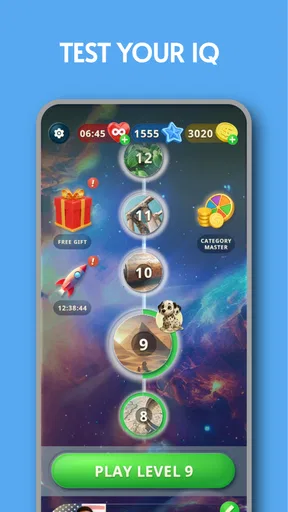
Downloading Trivia Game - IQ Quiz Test was a breeze. Available on both Android and iOS, the app is quick to install and easy to set up. Upon opening, you’re greeted with a clean and colorful interface that immediately gets you in the mood for some brain-teasing fun. The app has a straightforward menu that lets you dive right into the quiz or explore the settings.
Once you start, you’ll notice a wide array of categories ranging from history and science to pop culture and sports. I was particularly impressed by the app's ability to cater to diverse interests, which makes it perfect for trivia enthusiasts of all kinds.
Worth Reading Before You Choose

Baby Panda World Brings Quick Play to Modern Phones, but Its Game Library Feels Busy

ESPN’s Live Game View Makes Following Close Games Easier

QuizzLand Review: A Good Fit for Short Trivia Breaks, Not Every Player

Basketball Stars: Multiplayer Is Fast, but Can It Recover When Matches Go Wrong?

WEBTOON Turns Phone Updates Into a Better Reading Routine

Link to Windows Runs on Shared Habits, Not Social Feeds
The Quiz Experience
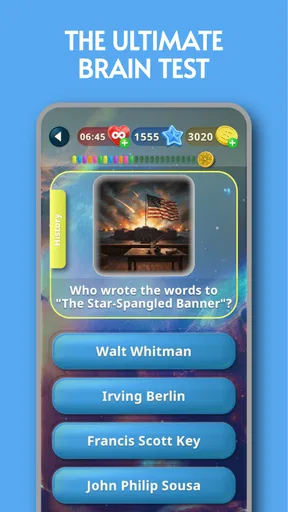
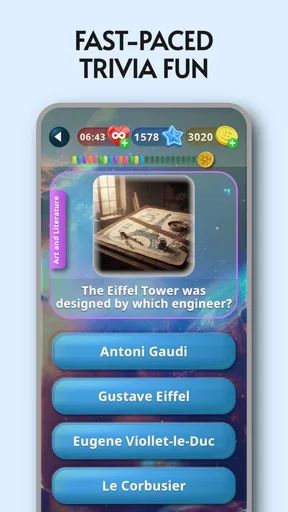
The quiz structure is pretty engaging. Questions are presented in a multiple-choice format, and you have a limited amount of time to answer each one. The timer adds a thrilling element, pushing you to think quickly. Each correct answer earns you points, and you can watch your score climb as you progress.
What I really appreciated was the mix of easy and challenging questions. Just when you think you’re on a roll, a tough question pops up to keep you on your toes. It’s a great balance that ensures the game remains fun and stimulating.
Features That Stand Out
One of the app’s standout features is its leaderboard. Competing against friends or other users worldwide adds a competitive edge that I found incredibly motivating. It’s always fun to see how you stack up against other trivia buffs.
The app also offers a hint system, which can be a lifesaver when you’re stumped. You earn hints by answering questions correctly, and they can be used to eliminate wrong answers or reveal hints about the question. It’s a smart addition that keeps the game flowing.
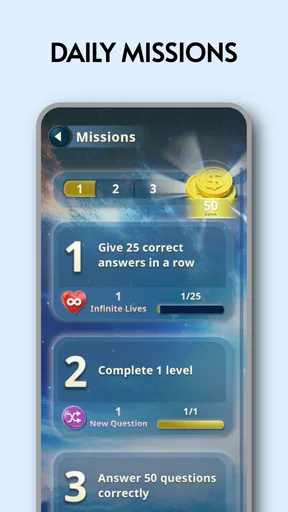
Another cool feature is the daily challenge. It’s a nice way to keep users engaged by offering a unique quiz each day with a special reward for completion. It encouraged me to check back daily, adding to the app’s replay value.
Making the most of a quick round
For a more satisfying session, I would use the categories intentionally instead of tapping through rounds on autopilot. If I have a few minutes before an appointment, I might choose a familiar subject to warm up; when I have time to concentrate, I’d deliberately stay with a weaker area and treat the score as secondary. That small change turns a quiz from pure time-filling into a low-pressure way to notice what I know and where I’m guessing.
The hint system also creates a useful trade-off. Since correct answers earn hints, I would save them for a question where I can narrow down the options but cannot make the final choice, rather than spending one immediately whenever I feel uncertain. Hints can preserve momentum, but using them too freely may make a strong score feel less like a reflection of my own recall. If I’m playing to learn, I’d pause after a wrong answer and remember the correction instead of rushing straight into another round.
How it compares with other trivia options
Compared with a party quiz played around a table, this is more convenient for a solo break and less dependent on having friends available at the same time. The leaderboard offers a competitive reference, but it is not the same as the banter and shared reactions of a group game. For a social gathering, I would still choose a format designed for everyone to answer together; for a spare moment alone, this app is the easier option.
It also sits between broad quiz games and focused study tools. Its variety is appealing if I want to move between subjects, while a specialist app is better when I need lessons, reliable topic progression, or detailed explanations that help me understand why an answer is correct. The daily challenge gives a reason to return, but players who dislike routine prompts or score comparisons may find a simple question-of-the-day format—or a book of quizzes—more relaxing.
Small frictions and sensible expectations
The timer is part of the appeal, but it is also the clearest source of friction. A player who reads slowly, is interrupted often, or simply prefers to reason at their own pace may find timed multiple choice more stressful than fun. I would avoid starting a round when I know I will need to put my phone away at any moment; an interruption can break concentration and make a casual game feel unnecessarily pressured.
Ads can interrupt the flow, even if they do not dominate every session. The game is free to play, with in-app purchases ranging from $0.99 to $9.99 per item, and the original review notes an option to remove ads through a purchase. I would try the free experience first and decide based on how often interruptions actually bother me, rather than paying in advance on the assumption that I will play every day. The presence of purchases also makes it worth checking the purchase prompt carefully before confirming anything.
For parents, the Everyone rating makes the game broadly approachable, but I would still sit alongside a younger player at first to see whether the pace and question mix suit them. For a trivia fan who wants a relaxed, self-directed activity, that is a sensible way to judge the fit. For someone who needs a child-focused curriculum or a quiet, ad-free study environment, I would choose a purpose-built alternative instead.
What returning players should watch
The version number gives existing players a clear way to identify their installed build, but I would judge future changes by their effect on everyday play: whether rounds remain smooth, questions continue to feel varied, and the timer and interface work comfortably on the device. A newer version would be worth checking for, but I would not assume that it changes the quiz format or adds content until those differences are actually visible in the game.
Likewise, a high average rating is encouraging, but it cannot tell me whether the app’s particular question mix matches my interests. With 27 written reviews, there is some user feedback to consult alongside the rating, though I would look for comments that describe the same things I care about—question variety, interruptions, or the feel of timed play—rather than relying on a score alone. The most useful test remains a few sessions of my own.
The Quiz Experience
The quiz structure is pretty engaging. Questions are presented in a multiple-choice format, and you have a limited amount of time to answer each one. The timer adds a thrilling element, pushing you to think quickly. Each correct answer earns you points, and you can watch your score climb as you progress.
What I really appreciated was the mix of easy and challenging questions. Just when you think you’re on a roll, a tough question pops up to keep you on your toes. It’s a great balance that ensures the game remains fun and stimulating.
Features That Stand Out
One of the app’s standout features is its leaderboard. Competing against friends or other users worldwide adds a competitive edge that I found incredibly motivating. It’s always fun to see how you stack up against other trivia buffs.
The app also offers a hint system, which can be a lifesaver when you’re stumped. You earn hints by answering questions correctly, and they can be used to eliminate wrong answers or reveal hints about the question. It’s a smart addition that keeps the game flowing.
Another cool feature is the daily challenge. It’s a nice way to keep users engaged by offering a unique quiz each day with a special reward for completion. It encouraged me to check back daily, adding to the app’s replay value.
Design and Usability
The user interface is sleek and responsive, making navigation a breeze. The graphics are vibrant, and the text is easy to read, which enhances the overall user experience. I found the app to be quite intuitive, with no major learning curve involved.
One thing to note is that the app does contain ads. While they don’t overly detract from the experience, they can occasionally interrupt the flow of the game. However, there’s an option to remove them through an in-app purchase, which some users might find worthwhile.
Final Thoughts
Overall, Trivia Game - IQ Quiz Test offers a delightful experience for trivia lovers. It combines a vast array of questions, a competitive leaderboard, and daily challenges to keep things fresh and exciting. Whether you’re looking to test your knowledge or just have some fun, this app is definitely worth a try.
If you’re up for the challenge, you can download Trivia Game - IQ Quiz Test from the app store and start quizzing away. Just remember, it’s not all about knowing the answers—sometimes it’s about learning something new and having fun along the way!
My recommendation
I would recommend it to casual players who enjoy timed questions, a mix of subjects, and the extra nudge of a daily challenge or leaderboard. It is less suitable for anyone who wants a completely uninterrupted quiz, a slow pace, or a structured course that explains each topic in depth. That distinction matters: this is best approached as an accessible game, not as a substitute for studying or a definitive test of intelligence.
My practical advice is to begin with a few short rounds, see whether the timer feels energizing or irritating, and pay attention to whether the categories keep your interest. If those parts click, the free entry point makes it easy to keep playing casually. If ads or competitive scoring quickly wear thin, there is no need to force it; another trivia format may suit your habits better.
Pros
- Engaging questions with diverse topics.
- User-friendly interface enhances gameplay.
- Regular updates with new quizzes.
- Multiplayer mode for competitive fun.
- Offline mode available for on-the-go play.
Cons
- Ads can be intrusive during gameplay.
- In-app purchases can be pricey.
- Some questions repeat over time.
- Limited language options available.
- Requires internet for initial setup.
FAQs for Trivia Game - IQ Quiz Test
What is Trivia Game - IQ Quiz Test?
Trivia Game - IQ Quiz Test is an engaging mobile app designed to challenge your general knowledge across various topics. It offers a wide range of questions that test your IQ and problem-solving skills. The app features multiple levels and difficulty settings, making it suitable for both casual players and trivia enthusiasts.
Is Trivia Game - IQ Quiz Test available for both Android and iOS?
Yes, Trivia Game - IQ Quiz Test is available for download on both Android and iOS platforms. You can find it on the Google Play Store for Android devices and the Apple App Store for iOS devices. Ensure your device meets the app's system requirements for a smooth experience.
Does Trivia Game - IQ Quiz Test require an internet connection?
While Trivia Game - IQ Quiz Test can be enjoyed offline, certain features like leaderboards, updates, and new question packs require an internet connection. Playing offline limits some interactive features, but you can still enjoy the core trivia gameplay without being connected to the internet.
Are there in-app purchases in Trivia Game - IQ Quiz Test?
Yes, Trivia Game - IQ Quiz Test offers in-app purchases. These may include additional question packs, ad removal, or special features that enhance gameplay. While the app is free to download, these optional purchases can enrich your experience and provide more content to explore.
How does Trivia Game - IQ Quiz Test handle user data and privacy?
Trivia Game - IQ Quiz Test takes user privacy seriously. The app adheres to standard data protection regulations, ensuring your personal information is secure. Review the app's privacy policy to understand what data is collected and how it is used. It's always a good practice to stay informed about your data privacy.


